Small details. Everyday difference.
All your moments.
Plenty of possibilities.
A local gallery, a capable player, and a few thoughtful ways to make your photos part of the everyday.
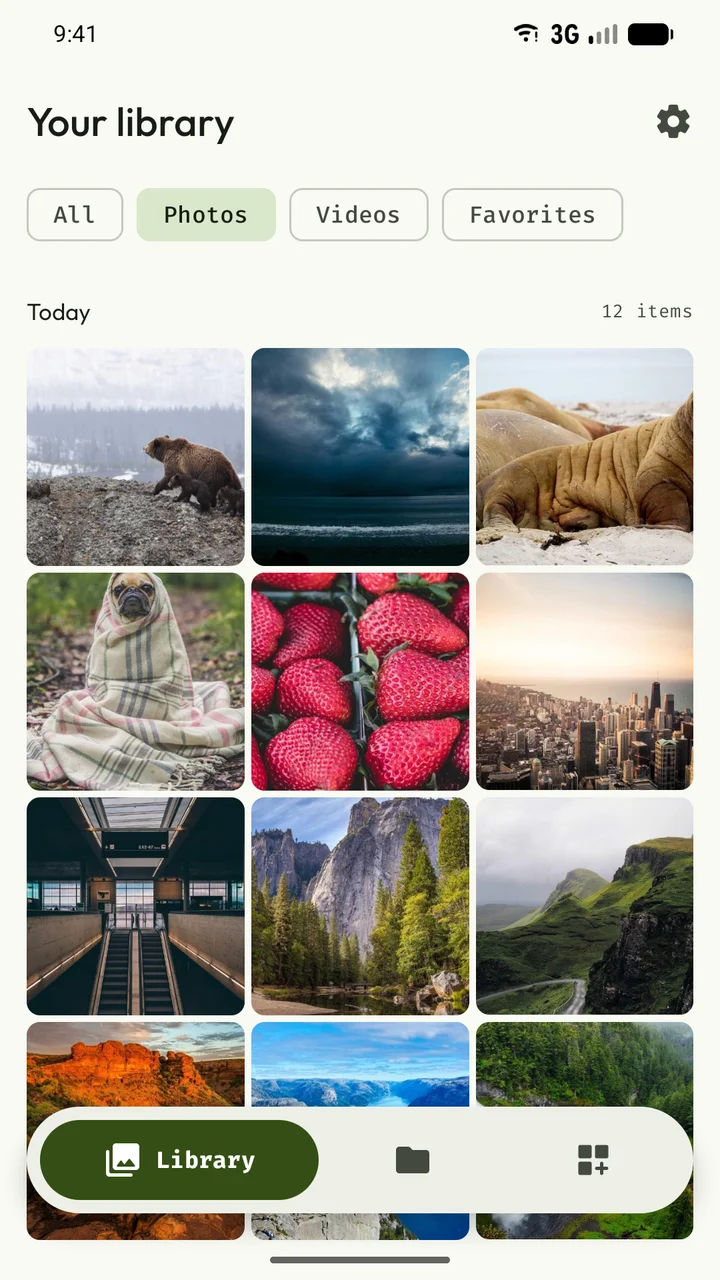
01 / Photo gallery
Less looking. More finding.
Your camera roll, screenshots and saved videos, together in a library that feels like yours.
- Browse photos and videos grouped by day, or explore the folders already on your device.
- Filter photos, videos or favorites. Pinch the grid to make room for more thumbnails or give each image a little more space.
- Long-press to select, then share, copy, move, favorite or trash a group of files. Create collections without moving your originals.
Hidden items stay out of Frame’s main library. Hiding is not encryption or a password-protected vault.
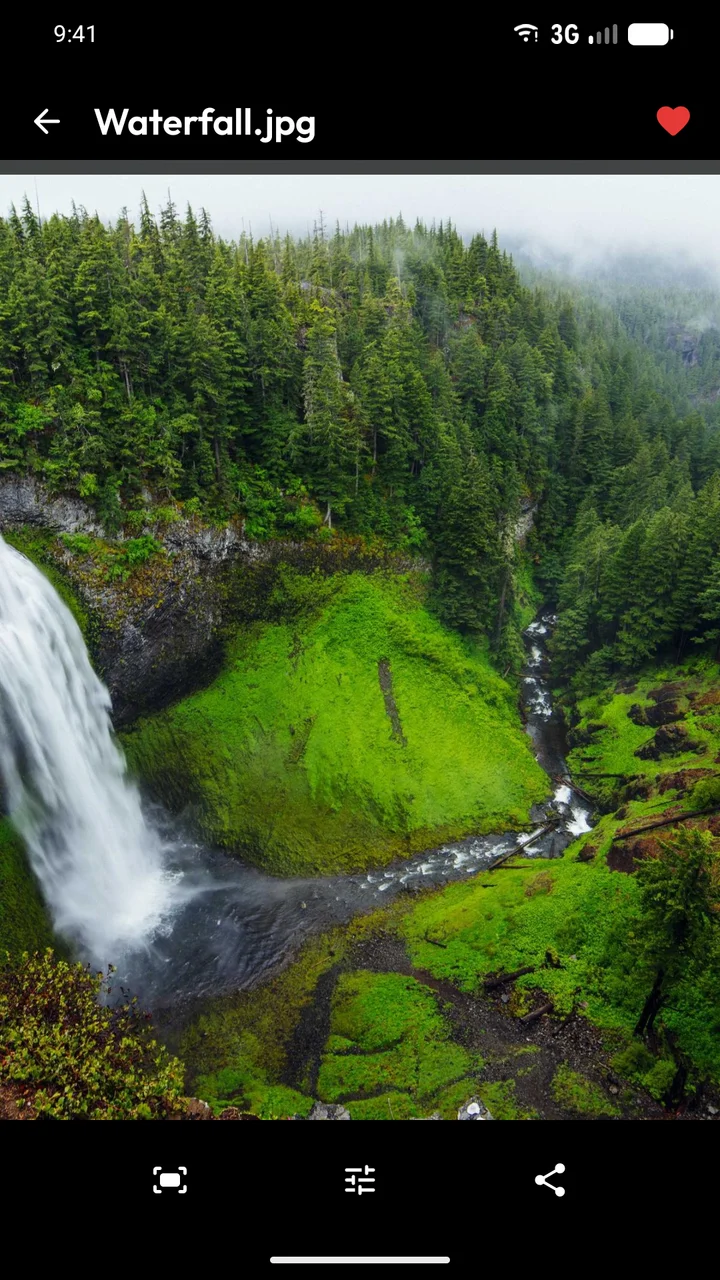
02 / Image viewer
Stay with the details.
Swipe through photos, zoom into the small things, and tap once to let the controls fade away.
- Pinch, double-tap and pan around an image. Swipe between photos in your current folder, collection or filtered view.
- See file size, dimensions and available camera information in the Details sheet.
- Photos with saved coordinates can show an address through Android’s Geocoder. Open the spot in a maps app, or the containing folder in Files.
Available metadata varies by image. Address lookup can use the device’s geocoding provider; see the privacy policy.
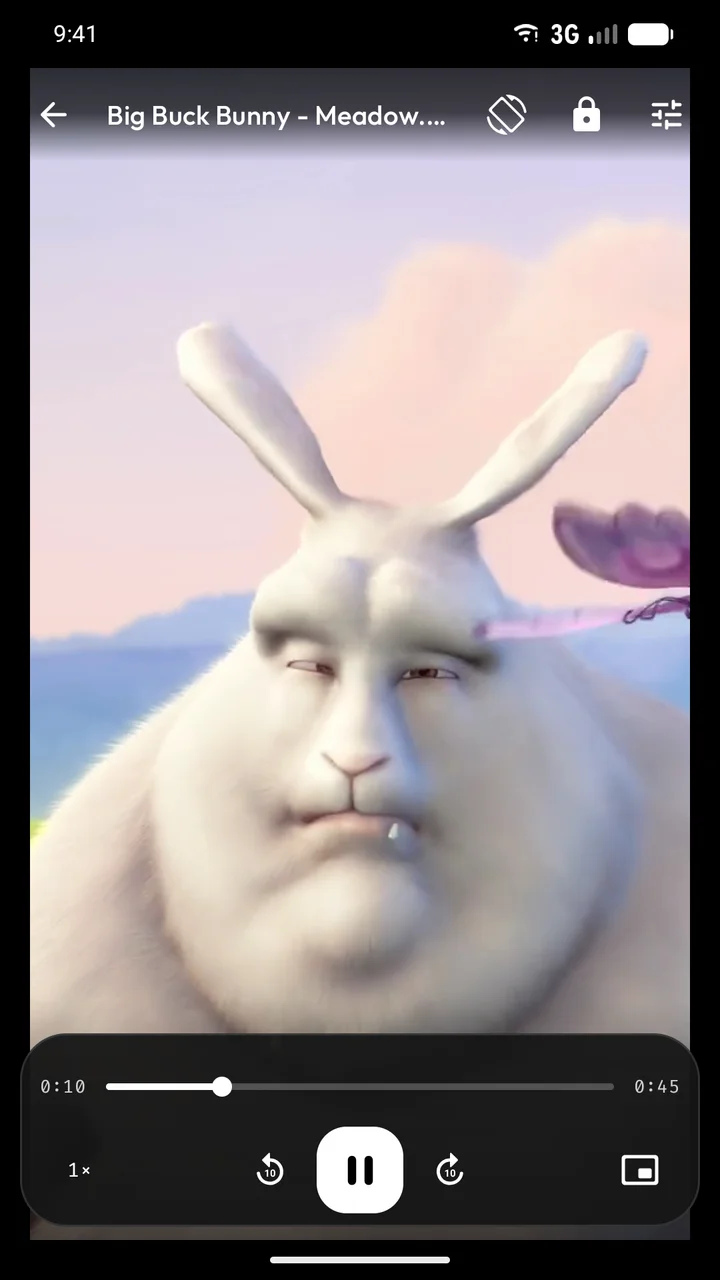
Film shown: Big Buck Bunny © 2008 Blender Foundation / www.bigbuckbunny.org · CC BY 3.0. Cropped excerpt. All media credits.
03 / Video & audio player
Your next scene is waiting.
A capable local player, comfortable in portrait and ready to stretch out in landscape.
- Seek, change playback speed, choose supported audio tracks and subtitles, and adjust brightness or volume with gestures.
- Match the video’s orientation, rotate manually, use picture in picture, or lock the controls against accidental touches.
- Reopen an unfinished video or audio file to resume or restart. Resume is the default after a five-second countdown.
- Open local video and audio from a file manager using Open with. Audio uses a focused player and stays in the foreground.
HD and 4K playback depend on your device’s decoder, codec profile, frame rate and file. Background audio playback is not currently supported.
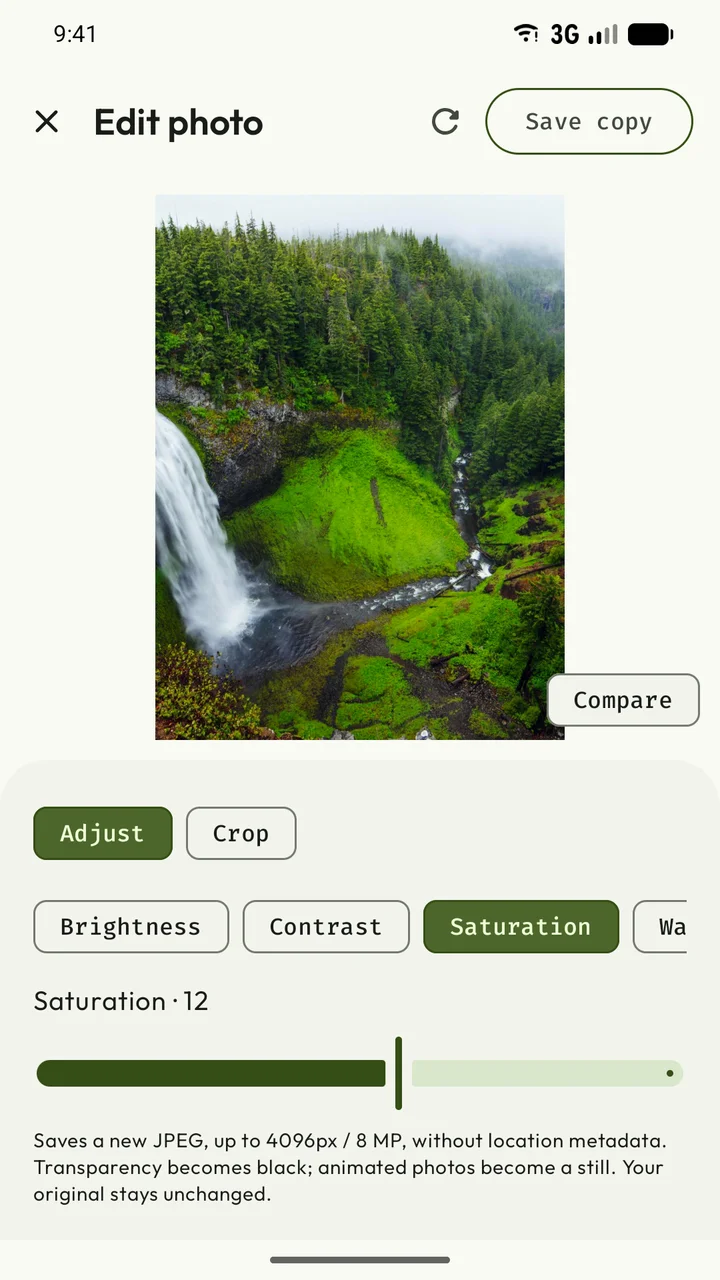
04 / Photo editor
A little adjustment. A different mood.
Bring out a warmer evening, a brighter face or a quieter color palette.
- Crop, rotate and flip. Adjust brightness, contrast, saturation and warmth.
- Compare your changes with the original before saving.
- Save a new JPEG copy while keeping the original file intact.
Edits produce a still JPEG up to 4096 pixels / 8 megapixels, without location metadata. Transparency becomes black and animated images become stills.
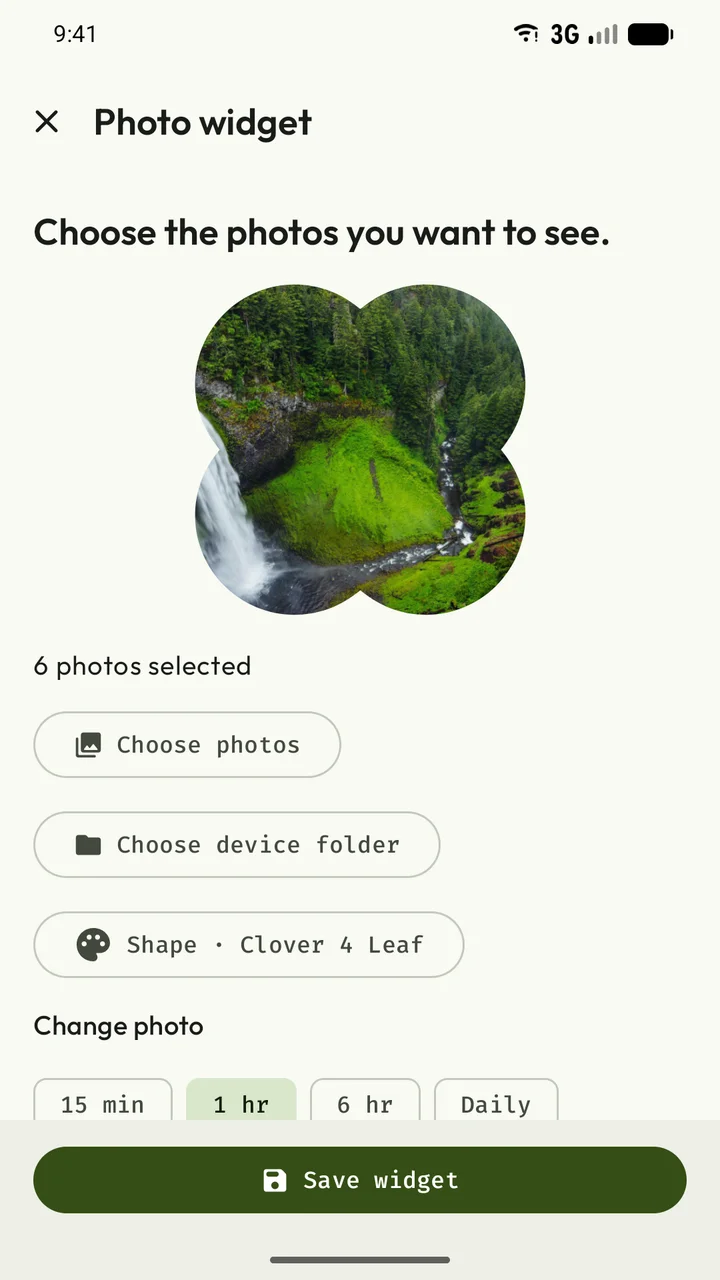
05 / Photo widgets & live wallpaper
Good memories deserve a little daylight.
Bring a favorite photo—or a whole folder—to the place you look at every day.
- Choose from 35 Material shapes for photo widgets, with fit or fill, shuffle and independent settings for each widget.
- Swipe vertically through the photo stack, or tap to open the displayed image.
- Turn local photos into a rotating live wallpaper. Rotation pauses while the wallpaper is hidden or the screen is off.
Widget rotation starts at 15-minute intervals and can be delayed by Android. Shape rendering and swipe behavior can vary by launcher.
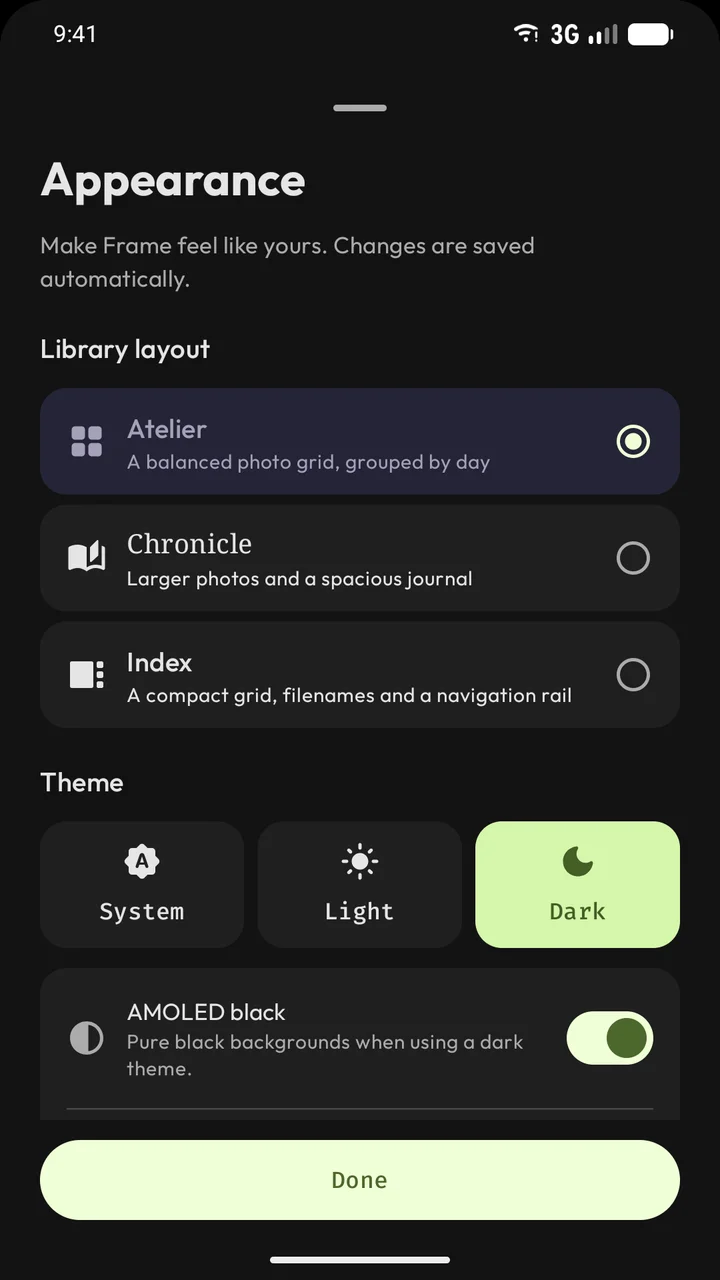
06 / Appearance
Three ways to feel at home.
Keep it familiar, give it room, or see the files at a glance.
- Atelier is a balanced gallery grouped by day. Chronicle gives your photos a spacious journal layout. Index adds a compact view, filename search and navigation rail.
- Choose light, dark or system appearance, with AMOLED black backgrounds in dark mode.
- Use colors from your wallpaper with dynamic color on Android 12 and later.
All three layouts share the same media library and tools.
The files you already have
Everyday photos.
Specialty formats, too.
JPEG, SVG, camera RAW, local video, audio and more—with clear compatibility notes.
See supported formats →Currently for invited internal testers.